| T O P I C R E V I E W |
| david67 |
Posted - 23 Sep 2018 : 16:24:13
How does one post a picture on here please ?
I've been sending in e mails to Trevor not realising there is a forum to post on !
Also how many people is it safe to carry on a Conquest 20 please ?
Many thanks, David. |
| 4 L A T E S T R E P L I E S (Newest First) |
| cliveshep |
Posted - 24 Sep 2018 : 02:35:26
I wrote this and saved it long ago because it is a question that arises quite frequently.
Unlike Dave, I use Postimage.org - also free.
Post images like this:
You need to upload them to a free storage site, like postimage.org
Then copy the image address and paste that into your post.
This is using postimage.org—a free site:-
Upload your picture, open it and click "share" symbol above it.
Select "Hotlink for forums" in the drop-down code menu.
Copy it but only the part from [img.........and ending in img]
I'll change the first and last square brackets to curved to show you.
So you'll get something like this but with your own picture title:-
(img]https://s19.postimg.cc.f8044kmlv/DSC00895.jpg[/img)
The whole code looks like this:-
(url=https://postimg.cc/image/q(img]https://s19.postimg.cc/f8044kmlv/DSC008x43sjdkf/)95.jpg[/img)[/url)
I've changed some of the square brackets for curved to prevent it posting a picture. You can see the [img.........img] part you need to keep in the middle. What you are doing is cutting out all the advertising crap.
This is the picture without altering the brackets, my Thai wife Arisa on our honeymoon in 2012:-

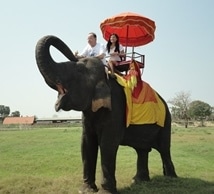
Finally living the dream!
|
| david67 |
Posted - 23 Sep 2018 : 20:24:28
Ianm, I managed to copy the image etc but Ive no idea where it went or how to find it to paste it ! |
| david67 |
Posted - 23 Sep 2018 : 20:10:41
Thanks Ianm , the people part on board was easy, I shall now battle with the techy pictures bit !!!! |
| IanM |
Posted - 23 Sep 2018 : 19:26:25
Hi David.
Welcome to the forum. There are a number of ways but I'll describe how I do it. You have to upload your pic to the 'net then link to it.
Go to www.tinypic.com
Browse to your pic on your pc.
Set the resize option to "message board"
Click "Upload Now". Sometimes there is a mildly annoying security stage - I think it is every second upload.
Wait until it loads then copy the text from the second box down labelled "IMG Code for Forums & Message Boards"
Paste it into your post.
Job done.
Can't help you with the number of people question. It depends how fat they are and whether they are going to run around a lot! I'd guess 6 to 8 would be about the limit.
|


